It reminds you: rules on top of everything Premium
The Rules pin floats over NinjaTrader with trades used, your day in R and losses in a row, live. Note the trade you are in; when it closes, one click says you kept your rules.
 Kiritsu
Download free
Kiritsu, Japanese for discipline, is a trading journal that keeps your rules over your charts, pauses you after a loss and tells you to stop when you break one.
Built for traders still learning to keep their rules.
Kiritsu is a Windows app: open this page on your PC to download it.
Watch it hold a sessionFree, with 14 days of Premium. Windows 10 and 11. Your trades never leave your PC.
Other journals tell you what went wrong once the week is over. Kiritsu works during the session, on rules you wrote: it reminds you, pauses you, then stops you. Features marked Premium are in Premium; everything else is free.
The Rules pin floats over NinjaTrader with trades used, your day in R and losses in a row, live. Note the trade you are in; when it closes, one click says you kept your rules.
A loss starts a timer: step away, then write one line on how you feel. Turn on the cooldown window and "You're in cooldown" stays pinned over your screen with the time left. The revenge trade comes in the next two minutes, and this is where Kiritsu earns its keep.
Hit your trade limit, losses in a row or daily loss, or break a rule, and the stop window asks you to stop for the session, naming the rule. One click closes it, or it closes itself after 30 seconds.
Apex, Lucid, MyFundedFutures and FundedNext rules built in: end-of-day and intraday trailing drawdown, trail then lock, daily loss and consistency. See each floor and the R of room left. Firms change rules, so check your firm's dashboard.
In orbit: you may trade.
A working copy of the Rules pin. A win keeps the trade in orbit; a loss pulls it closer. The cooldown takes seconds here, not your 10 minutes.
Hit a limit or break a rule, and a calm window asks you to stop trading this session.
It names the rule you broke. One click closes it, or it closes itself after 30 seconds, so your chart is never out of reach. It never takes your keyboard or touches your orders.

Kiritsu replays every trade against the rules live when you took it, and prices the ones you broke.
Rule-following trades made +$4,378 that month. The broken ones cost −$1,036.
An example month; one trade can break several rules. Only Kiritsu knows which rules were live: it was there.

The trade right after a loss is your weakest: −0.46R on average. A pause before it pays.
After 20 trades Kiritsu says what your numbers show: your best and worst day, which setup pays, the trade after a loss, what sizing up does. All worked out on your PC.


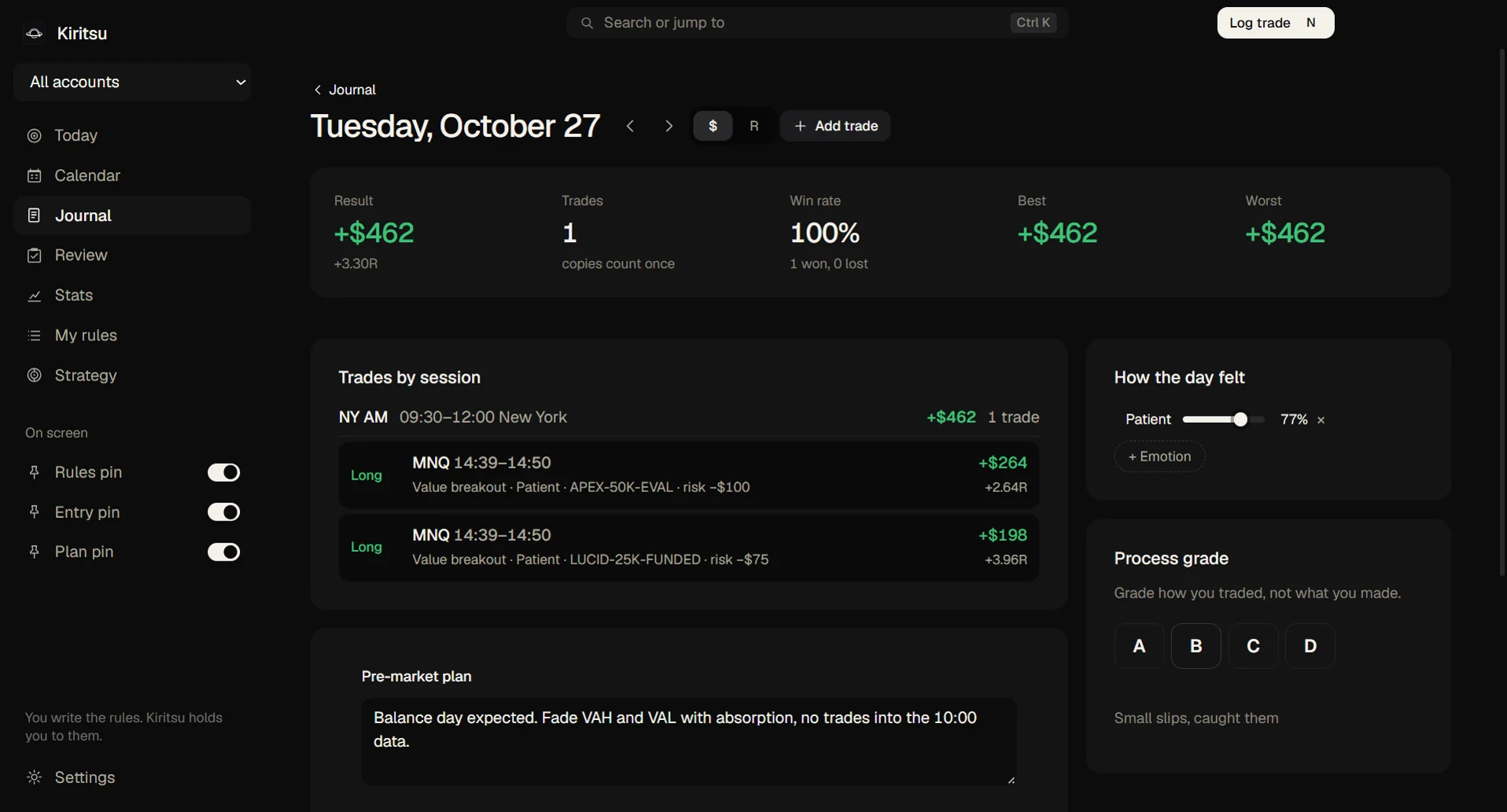
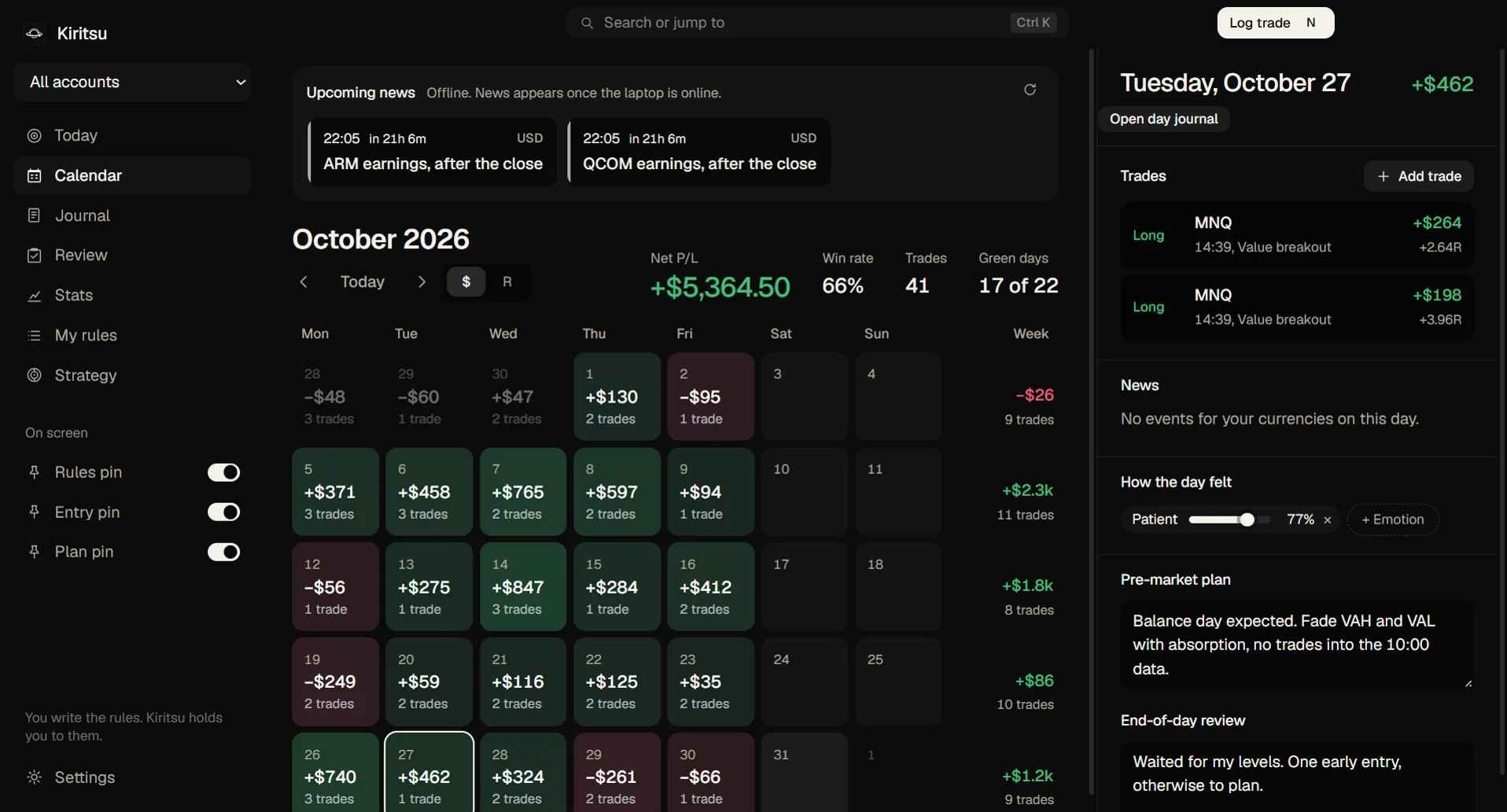
An add-on on your PC sends each fill as it happens. No API fees, no broker login, nothing online.
NinjaTrader covers any broker or firm you connect through it: Tradovate, Rithmic, CQG. Quantower covers Rithmic firms.
Save an export and the Trade Stalker Premium logs it, or import it by hand for free.
Pick your firm and size: drawdown, daily limit, target, consistency and contracts fill in.
No cloud, no broker password, no account to make. Kiritsu backs up every time it starts, and your journal exports to a file you own.

I'm Tom, a Vietnamese university student in the Netherlands and a day trader.
Like many traders, my biggest struggle was discipline: knowing my rules, but not following through. So I made Kiritsu.
It's made for beginners: your rules, plan and strategy pinned on your screen, where they never leave.
Tom, Creator of Kiritsu
Your price is locked for as long as you stay subscribed.
$0 forever
Starts with 14 days of Premium.
$49.99 a year
The launch price, yours for life when you join in 2026. From 1 January 2027 Premium is $69.99 a year.
Or $10 a month, cancel any time.
Including VAT. 14 days of Premium free on every new install, no card. After paying, 14 days to change your mind for a full refund.

Windows 10 and 11, 64-bit. Premium is on for your first 14 days; then Kiritsu stays free, and your licence key keeps Premium on.
Download for WindowsKiritsu is a Windows app: open this page on your PC to download it.
Never. It does not place, change, cancel or close orders. It shows your rules, tracks your limits and, with Premium, asks you to stop when you break one. Stopping is your call.
Keep it on: it locks the account once the day is lost, and Kiritsu links you to that setting. Kiritsu acts before that: a cooldown after each loss, trade limits per session, losses in a row and session hours, with your rules on screen.
No. Kiritsu keeps the rules you write. It gives no trade signals and no advice.
NinjaTrader 8 syncs live. Tradovate, Rithmic R|Trader, TopstepX, Quantower and most broker CSVs log as you save them, or via Journal → Import CSV.
Yes, any time. Each trade keeps the rules it was taken under, so the review still shows what you broke.
Not yet: Windows 10 and 11 for now. A Mac version is planned.
On your PC, in your user folder, backed up on every launch and exportable any time. The payment store keeps your email and receipt; your trades are never sent anywhere.
Yes: all of Premium for 14 days, with no card and no account. Then Kiritsu stays free with everything you logged, and a licence key turns Premium back on.
Buy Premium and paste the key from your purchase email into Kiritsu → Settings. It checks in now and then and works offline for 14 days.
Nothing is deleted. Your journal and the free features stay; the Premium features pause until you subscribe again.
No. Kiritsu is its own app. A small add-on in NinjaTrader writes your fills and stops to a file on your PC and, when asked, the 1-minute bars around a trade. It never touches your orders and sends nothing online.
Cancel any time from your receipt email; Premium runs to the end of the year you paid for, and after your first year you get back the unused part. Within 14 days of your first payment you can withdraw from the contract for a full refund.